Live Delivery Tracking
Track delivery riders on a live map and let customers watch their order approach on their tracking link — fewer 'where is my order?' calls.
How to enable it
- 1
Log in as an Admin and open Addons from the sidebar.
- 2
Under For Your Business (Restaurant), enable Live Delivery Tracking.
- 3
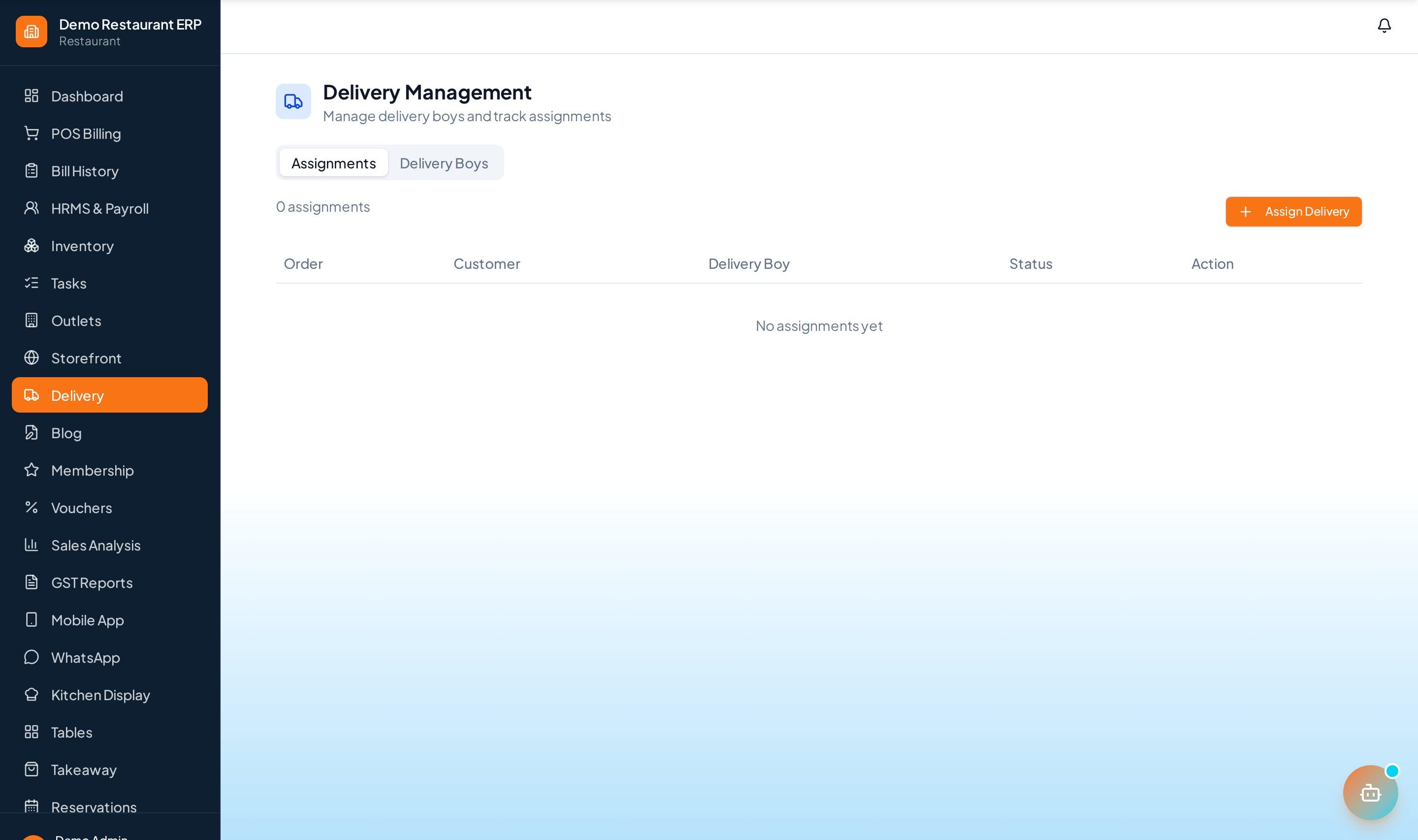
Follow active runs from the live delivery map in the sidebar.
Step by step
- 1
Assign rider
Dispatch an order to a delivery boy from Delivery Management.
- 2
Share location
The rider shares GPS from their phone while on the run.
- 3
Customer tracks
The customer's order-tracking link shows the rider approaching in real time.
- 4
Supervise
Watch every running delivery from the live map from dispatch to doorstep.
See it in the app
Want the full feature list?
See everything Live Delivery Tracking can do and what's included.
More Restaurant guides
KOT System
Kitchen Order Tickets route each dish to the right station the moment an order is placed — no paper, no missed items.
Table Management
A live floor map of every table — occupied, free, or reserved — with a running bill per table.
Dine-In & Takeaway
Handle dine-in, takeaway, and delivery from a single screen with the right flow for each order type.